





Introduction: The “Admin Trap” of Web Development
No-Code AI Integrations | If you are a freelance web developer or run a small digital agency, you already know the harsh truth: writing the actual code is the easiest part of the job. The real bottleneck lies in the administration. It is the endless email threads begging clients for website copy. It is the vague feedback like “Can we make it pop more?” It is the dreaded scope creep when a client suddenly asks for complex e-commerce functionality three days before the launch deadline.
If you are spending 20 hours a week building a website, you are likely spending another 15 hours just managing the client. This ratio destroys your hourly profit margin and leads straight to burnout.
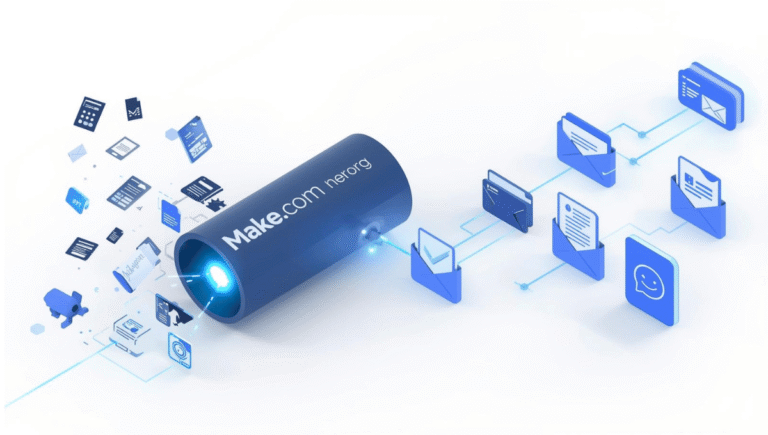
But in 2026, you do not need to hire a $4,000/month project manager to fix this. By leveraging no-code automation platforms like Make.com and Large Language Models like OpenAI (ChatGPT-4o), you can build autonomous systems that handle client friction for you.
In this Autifyai masterclass, we will break down the 5 essential no-code AI integrations that will transform your freelance web development business from a stressful hustle into a highly scalable machine.
1. The “Content Chaser”: Automating Website Copy Generation
The number one reason web projects get delayed is that clients take weeks to write their “About Us” and “Service” page copy. You cannot design a layout if you do not have the text.
The Solution: Do not wait for them. Generate the first draft for them using AI.
- The Tech Stack: Typeform ➔ Make.com ➔ OpenAI ➔ Google Docs.
- How It Works: When a client signs the contract, they are sent a quick, 5-question Typeform asking for basic bullet points about their business.
- The AI Magic: Make.com catches that form submission and sends the raw bullet points to ChatGPT with the prompt: “You are an expert SaaS copywriter. Turn these bullet points into a professional, SEO-optimized 500-word ‘About Us’ page.”
- The Delivery: Make.com instantly creates a new Google Doc with the polished copy and emails the link to the client: “Hi [Name], we drafted the initial website copy based on your notes to speed things up. Please review and edit here.”
Suddenly, your clients aren’t staring at a blank page. They are just editing your AI draft, cutting content collection time by 80%.
2. The “Scope Creep” Defender (Email Analysis)
Every developer has experienced this. You are hired to build a simple 5-page informational site. Halfway through the build, the client emails you: “Hey, we were thinking it would be great to add a multi-vendor marketplace feature so other people can sell products on our site. Can we quickly add the WCFM plugin?”
That is not a “quick addition.” That is an entirely new project scope. Responding to these requests requires tact—you need to say “no” or “pay me more” without ruining the relationship.
The Solution: Let an AI assistant draft your boundary-setting emails.
- The Tech Stack: Gmail ➔ Make.com ➔ Claude 3.5 Sonnet ➔ Gmail (Drafts).
- How It Works: Make.com watches your inbox for emails from active clients containing trigger words like “add,” “new feature,” “quick change,” or “marketplace.”
- The AI Magic: The email is routed to Anthropic’s Claude (which is exceptional at empathetic communication). The prompt: “Act as a polite but firm technical project manager. A client is requesting features out of their original contract scope. Draft an email thanking them for the great idea, explaining that this is outside the current scope, and offering to provide a separate quote for this phase 2 addition.”
- The Delivery: Claude places the perfectly written, professional response right into your Gmail Drafts folder. You just review it, hit send, and protect your profit margins.
3. The Intelligent Bug Triage System
During the staging phase, clients will send you feedback from every direction: WhatsApp messages, vague emails, and random screenshots. Organizing this chaos into actionable development tasks takes hours.
The Solution: Centralize and translate client language into developer language.
- The Tech Stack: Marker.io (or a simple Google Form) ➔ Make.com ➔ OpenAI ➔ Trello / Notion.
- How It Works: The client submits a bug report: “The checkout button looks weird on my phone.”
- The AI Magic: Make.com sends this to ChatGPT to categorize and translate. The prompt: “Analyze this client feedback. 1. Determine the urgency (High/Medium/Low). 2. Categorize it (CSS/UI, Backend, Content). 3. Rewrite the issue into a professional technical task for a developer.”
- The Delivery: Make.com creates a perfectly formatted card in your Trello or Notion Kanban board:
[UI/CSS - Medium] Mobile responsive media query needed for Checkout Button padding.
4. Automated Monthly Retainer Reports
If you offer post-launch maintenance plans (hosting, plugin updates, security scans), the hardest part is reminding the client why they are paying you every month. If they do not see the work, they will cancel the retainer.
The Solution: An automated “Proof of Work” generator.
- The Tech Stack: ManageWP (or MainWP) ➔ Google Sheets ➔ Make.com ➔ OpenAI ➔ PDF Generator.
- How It Works: Your WordPress management tool logs how many plugins were updated and security threats blocked in a Google Sheet.
- The AI Magic: At the end of the month, Make.com sends that raw data to ChatGPT: “Write a professional, easy-to-understand executive summary for a non-technical client detailing how our maintenance kept their site secure and fast this month, using this data.”
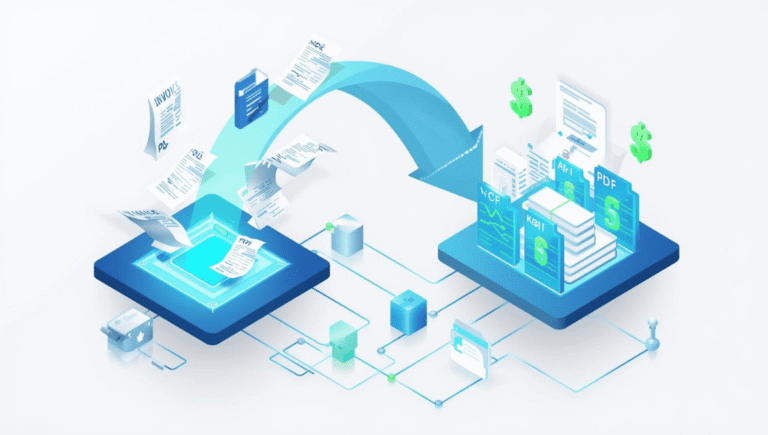
- The Delivery: The summary is injected into a beautifully branded PDF and automatically emailed to the client alongside their monthly invoice.
5. The “Instant Project Scope” Generator
Writing detailed proposals for complex builds—like e-commerce stores or custom web apps—can take days. You have to map out every feature, plugin requirement, and timeline.
The Solution: Turn your discovery call notes into a binding proposal in 60 seconds.
- The Tech Stack: Fathom (or Otter.ai) ➔ Make.com ➔ Claude 3.5 ➔ PandaDoc / Google Docs.
- How It Works: You record your Zoom discovery call using an AI meeting assistant like Fathom, which generates a raw transcript.
- The AI Magic: You trigger a Make.com scenario that feeds the transcript to Claude. The prompt: “Act as a Senior Solutions Architect. Read this client meeting transcript. Extract all technical requirements and generate a highly detailed Project Scope of Work, including a suggested tech stack, timeline, and phase breakdown.”
- The Delivery: The complete scope is pushed into a PandaDoc template, ready for the client to digitally sign.
Conclusion: Code the Site, Automate the Business
Being a successful freelance web developer in 2026 requires a shift in mindset. You must stop acting like just a coder and start acting like a systems architect for your own business.
By implementing these five no-code AI integrations, you effectively hire an invisible project manager, a copywriter, and a QA tester who work 24/7 for the cost of a few API credits. You eliminate the administrative drag, protect your project scopes, and win back the time you need to take on higher-paying clients.
Stop doing $10-an-hour administrative tasks. Sign up for a free account on Make.com today, connect your favorite AI model, and start automating your agency.