





Introduction: The Exhausting Game of Catch-Up
When I first started scaling my digital agency, I had a massive “FOMO” (Fear Of Missing Out) problem regarding my competitors.
Every Sunday evening, I would pour a cup of coffee and spend three agonizing hours manually checking my top five competitors’ websites. I would look to see if they changed their pricing tiers, read their latest blog posts to reverse-engineer their SEO strategy, and sift through their promotional emails to see what discounts they were offering.
I thought I was being “strategic.” In reality, I was acting like an unpaid intern for my own business.
Manual competitor research is a reactive, soul-crushing task. By the time you notice a competitor has launched a new feature or dropped their prices, they have already captured the market share.
I knew there had to be a better way to gather business intelligence without sacrificing my weekends. That is when I discovered the power of autonomous AI Agents. By connecting smart scraping tools with Large Language Models (LLMs) and Make.com, I built an invisible army of researchers that monitor my industry 24/7.
In this comprehensive Autifyai guide, I am going to show you exactly how to use AI agents for automated competitor research so you can outmaneuver your rivals while you sleep.
What is an AI Agent? (And Why ChatGPT Isn’t Enough)
Most business owners think they are doing “AI Research” when they type a prompt into ChatGPT like: “Who are the top web design agencies in New York?”
That is not an agent; that is just a search query. It relies on outdated training data and cannot monitor real-time changes.
An AI Agent is an autonomous system that can interact with the internet, execute tasks over a period of time, make decisions based on rules, and report back to you.
For competitor research, an AI Agent needs three components:
- The Eyes (Data Extraction): A tool that can look at a specific web page and notice when a pixel or text block changes.
- The Brain (Analysis): An LLM (like OpenAI’s GPT-4o or Anthropic’s Claude) that reads the raw data and figures out why it matters.
- The Hands (Routing): An automation hub (Make.com) that formats the analysis and sends it to your Slack, Notion, or Email.
The Autifyai “Rival Radar” Tech Stack
To build this autonomous system without writing a single line of Python code, here is the exact tech stack I use:
| Component | Tool I Use | The Role in the Workflow |
| Website Scraper | Browse AI | Monitors competitor websites for visual or text changes (like pricing updates). |
| Content Scraper | RSS Feeds / YouTube API | Pulls their newly published blog posts or video transcripts instantly. |
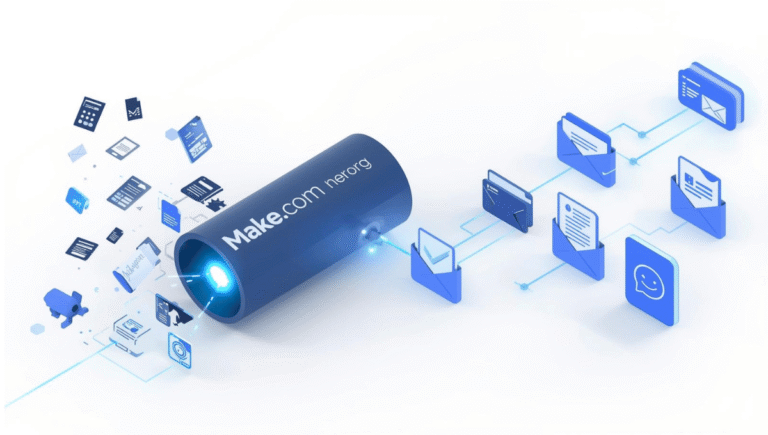
| The Automation Engine | Make.com | The central nervous system that routes the scraped data to the AI. |
| The AI Brain | OpenAI (ChatGPT-4o) | Analyzes the data, summarizes competitor strategies, and highlights threats. |
| The Dashboard | Slack / Notion | Where I receive the final, beautifully formatted intelligence reports. |
Step-by-Step Build: Automating Competitor Price & Feature Tracking
Let’s build the most critical agent first: The Pricing Tracker. If your biggest rival drops their monthly retainer fee by 20%, you need to know immediately, not three weeks later when a lead tells you on a sales call.
Here is how I built a zero-code Make.com workflow to track competitor pricing pages.
Step 1: Train the “Eyes” with Browse AI
Browse AI is a phenomenal no-code scraping tool. You literally just click on the elements of a website you want to track.
- Create a free account on Browse AI.
- Create a new “Monitor” task. Enter your competitor’s pricing page URL.
- A virtual browser will open. Simply click on the text that displays their pricing tiers and features.
- Tell Browse AI to check this specific page every 24 hours. If nothing changes, it stays quiet. If the text changes, it triggers an alert.
Step 2: Catch the Alert in Make.com
Now, we need to catch that data when a change occurs.
- Log into Make.com and create a new Scenario.
- Add the Browse AI module.
- Select Action: “Watch Task Executions” (Triggered when a change is detected).
Step 3: Let the AI Brain Analyze the Threat
A raw alert saying “Text changed from $99 to $79” isn’t enough. We want the AI to tell us the strategic implication.
- Add an OpenAI (ChatGPT) module.
- Select Action: “Create a Prompt Completion”.
- My Exact System Prompt: “You are an elite Business Strategist. My top competitor just updated their pricing/features page. Here is the old data: [Map Old Data Variable]. Here is the new data: [Map New Data Variable]. Write a concise, 3-bullet-point executive summary explaining exactly what they changed, and suggest one tactical counter-move our agency should take to defend our market share.”
Step 4: Deliver the Intelligence Brief
Finally, I want this report delivered to me where I actually work.
- Add a Slack (or Discord/Gmail) module.
- Select Action: “Create a Message”.
- Map the ChatGPT response into a dedicated channel called
#competitor-alerts.
Now, instead of manually checking their website, I just get a ping on Slack that says: “🚨 Competitor X dropped their Premium Tier by $20. Strategic Counter: Consider bundling an AI audit into our standard package to increase perceived value without dropping our price.”
Scenario 2: Reverse-Engineering Their Content Strategy
Pricing is just one half of the equation. To win, you need to know what keywords your competitors are targeting and what their content strategy is.
I used to subscribe to all my competitors’ email newsletters and read every blog post they published. It cluttered my inbox and wasted my time.
The Automated Solution:
I built a secondary Make.com workflow.
- Trigger: An RSS Feed module that watches my competitor’s blog. Every time they publish a new article, Make.com triggers.
- Analysis: It sends the blog text to Claude 3.5 Sonnet. The prompt asks Claude to extract the Primary Keyword the competitor is trying to rank for, summarize the article in 3 sentences, and rate the quality of their content from 1-10.
- Storage: Make.com logs this data into a Notion database called “Rival Content Tracker.”
Once a month, I open that Notion database. In 5 minutes, I can see exactly what my competitors spent the last 30 days writing about, and I can immediately brief my writers on how to create better, more comprehensive content to outrank them.
The Ethical Boundary of AI Research
I want to be perfectly clear: using AI agents for competitor research is about public data aggregation, not corporate espionage.
We are not hacking databases or stealing private customer lists. We are simply using automation to read publicly available information (websites, public social media profiles, RSS feeds) at a speed and scale that a human cannot match. It is 100% legal, highly ethical, and completely necessary if you want to survive in the hyper-competitive 2026 business landscape.
Conclusion: From Reactive to Proactive
Before I built this system, my business was entirely reactive. If a competitor launched a massive campaign, I was the last to know, and I scrambled to adjust my agency’s messaging.
By implementing AI agents for automated competitor research, I flipped the script. I am now proactively notified the minute a rival makes a move. I save over 20 hours a month on manual research, my inbox is free of competitor newsletters, and I have a centralized, AI-curated database of market intelligence.
Stop spying on your competitors manually. Sign up for a free Make.com and Browse AI account today, deploy your first agent, and let the AI do the heavy lifting.