


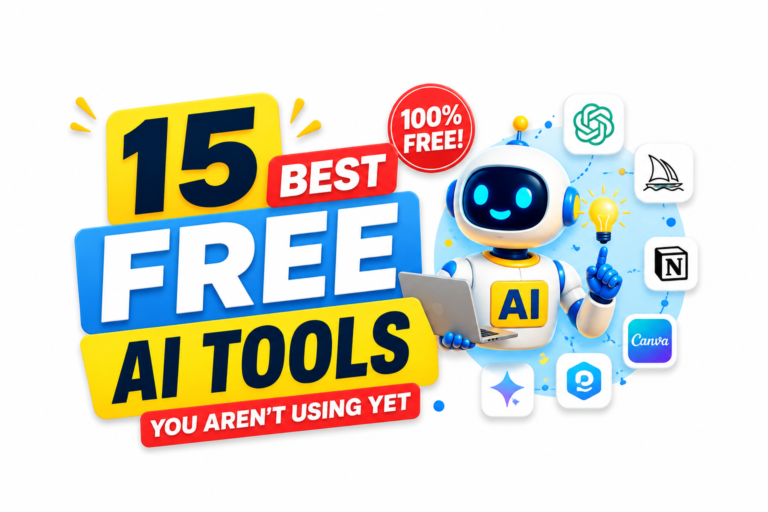

15 Best free AI tools 2026 You Aren’t Using Yet in 2026
If you’ve been following the AI space for the last couple of years, you’ve probably already heard of ChatGPT, Midjourney, Gemini, Claude, and a handful of other big-name AI platforms.
But here’s something interesting: some of the most useful free AI tools in 2026 aren’t necessarily the ones dominating social media.
There are dozens of smaller and specialized AI tools quietly helping students research faster, marketers create content, freelancers organize projects, businesses automate repetitive tasks, and creators produce better videos and graphics.
The problem is that most people never discover them.
Instead, we keep seeing the same handful of AI tools recommended over and over again. There’s nothing wrong with popular platforms, but sometimes a specialized tool can solve a specific problem much faster than a giant all-in-one chatbot.
I’ve spent time exploring lesser-known AI apps across different categories, including research, writing, design, meetings, productivity, presentations, image editing, and video creation. Some are surprisingly powerful for free users, while others offer useful free tiers that are more than enough for occasional tasks.
So, if you’re looking for the best free AI tools in 2026 beyond the usual recommendations, this list is for you.
No complicated setup. No need to be an AI expert. And most importantly, you don’t need to start paying for expensive software just to test these tools.
Why Look Beyond the Popular AI Tools?
Before getting into the list, there’s a simple reason to explore smaller AI tools.
Popular AI platforms are becoming increasingly crowded. As more people start using them, companies naturally experiment with paid plans, usage limits, credits, and premium features.
Specialized AI tools can sometimes provide a better experience because they are designed around one particular problem.
For example:
- A research tool can focus entirely on finding and explaining sources.
- An image editor can focus on removing unwanted objects.
- A meeting assistant can focus on transcription and action items.
- A presentation tool can turn your rough ideas into slides.
- A productivity tool can convert a simple prompt into an organized project.
Instead of trying to make one AI tool do everything, you can build a small collection of tools that each do one job well.
That’s especially useful for freelancers, students, marketers, content creators, and small businesses working with limited budgets.
The important thing to remember is that free plans and features can change over time. A tool that offers generous free access today may introduce stricter limits later.
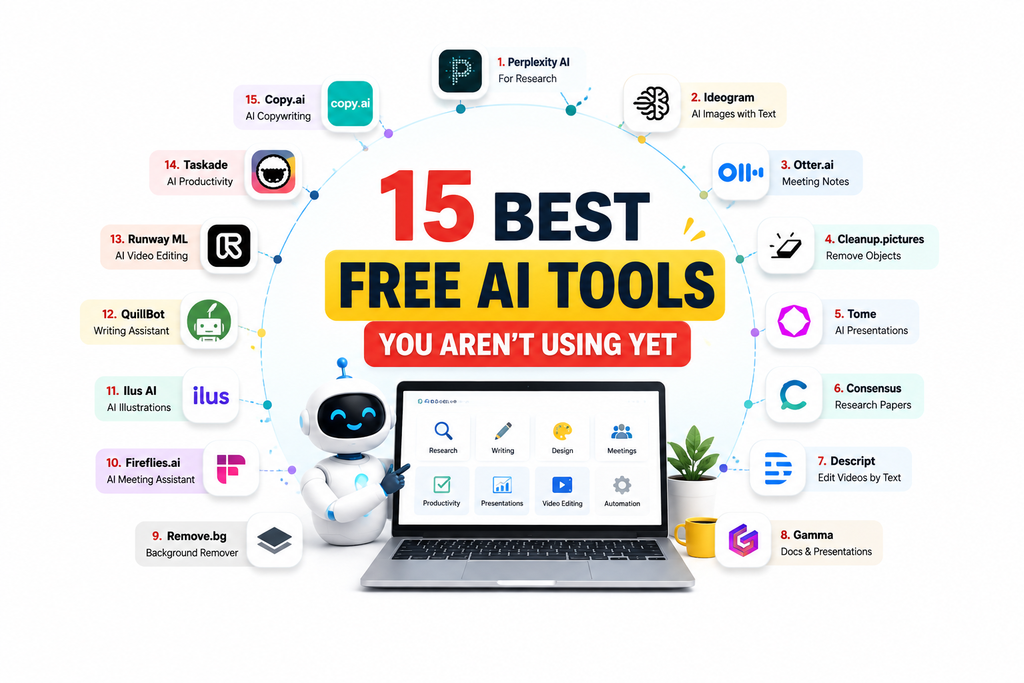
With that in mind, let’s look at 15 tools worth knowing.
1. Perplexity AI — For Research, Not Just Chat
If you usually use AI chatbots for writing, Perplexity offers a slightly different experience.
It is designed around research and information discovery. Instead of simply generating an answer, it provides sources and links that allow you to investigate the information further.
That’s particularly useful when you’re working on a blog article, college assignment, competitor research, market research, or any project where you don’t want to rely completely on an AI-generated answer.
Imagine you’re researching competitors in a particular industry.
Instead of opening ten different websites and manually collecting information, you can ask Perplexity a focused question and use its sources to explore the results.
The biggest advantage is the ability to verify information yourself.
You should still check important facts, but having source links available makes the research process much easier.
Best for: Students, researchers, marketers, bloggers, freelancers, and fact-based research.
2. Ideogram — AI Images With Better Typography
AI image generation has improved dramatically, but there’s still one area where many image generators struggle: text inside images.
Ask an AI image generator to create a poster containing several words, and there’s a good chance you’ll end up with strange spelling, distorted letters, or completely unreadable text.
That’s where Ideogram can be particularly useful.
It is designed to handle typography and text-based visuals more effectively, making it useful for posters, social media graphics, promotional creatives, advertisements, event designs, and other visual content.
For example, a small business owner could use it to experiment with promotional concepts without needing advanced graphic-design skills.
You may still want to polish the final design in Canva or another editor, but Ideogram can help you get from a blank page to a usable concept much faster.
Best for: Social media graphics, posters, marketers, small businesses, and visual content creators.
3. Otter.ai — Let AI Take Your Meeting Notes
Meetings can be productive, but taking notes while simultaneously participating in a conversation isn’t easy.
Otter.ai is designed to solve that problem.
It can transcribe conversations and generate summaries, helping you keep track of what was discussed and what needs to happen next.
For remote workers and freelancers, this can be extremely useful.
Instead of constantly typing notes while a client explains a project, you can focus on the conversation and review the transcript afterward.
It’s also helpful when you need to remember specific details from a long discussion.
For example, after a client meeting, you might want to know:
- What changes did the client request?
- Which tasks need to be completed?
- What deadlines were mentioned?
- Who is responsible for each task?
A meeting transcript and summary can make answering those questions much easier.
Best for: Remote teams, freelancers, client meetings, interviews, and online meetings.
4. Cleanup.pictures — Remove Unwanted Objects From Photos
Sometimes you have an otherwise perfect photo, except for one annoying object in the background.
Maybe there’s a person walking behind your subject, a power cable across the image, an unwanted sign, or some random object that ruins the composition.
Cleanup.pictures lets you brush over the unwanted element and remove it.
The AI then attempts to reconstruct the area behind it.
This can be useful for product photography, social media images, travel photos, website graphics, and personal pictures.
The tool is especially convenient for people who don’t have Photoshop or don’t want to spend time learning complicated photo-editing software.
Best for: Product images, social media graphics, travel photos, and quick photo cleanup.
5. Tome — Create Presentations Faster
Creating a presentation from scratch can take surprisingly long.
You need to decide what information belongs on each slide, arrange the content, choose visuals, and make sure everything looks consistent.
Tome attempts to simplify this process.
You provide an outline or describe what you want to present, and the platform can help turn those ideas into a structured presentation.
It can be useful for:
- Student presentations
- Internal company presentations
- Client updates
- Project proposals
- Simple business decks
- Educational material
Of course, AI-generated slides shouldn’t automatically be treated as the finished product.
You should review the information, edit the wording, replace unsuitable visuals, and adjust the presentation to match your audience.
But as a starting point, it can save a significant amount of time.
Best for: Students, freelancers, professionals, and quick presentations.
6. Consensus — Search Through Research Papers
If you’ve ever had to write an academic assignment, you already know how frustrating research can become.
You may have to search through dozens of papers just to find one useful piece of evidence.
Consensus is designed specifically around academic research.
It searches research papers and uses AI to help summarize findings while providing citations.
This makes it useful for students and researchers who need to understand what existing research says about a particular question.
For example, instead of asking a general chatbot about a scientific topic, you can use a research-focused platform to locate relevant academic evidence.
That doesn’t mean every AI summary should be accepted without checking the original paper. Academic work still requires careful reading and source verification.
But as a research starting point, it can make the discovery process much faster.
Best for: Students, researchers, academic writing, reports, and evidence-based research.
7. Descript — Edit Videos by Editing Text
Traditional video editing often involves moving clips around a timeline, cutting sections manually, finding the correct timestamp, and repeating the process dozens of times.
Descript takes a different approach.
It transcribes your video, and you can edit the transcript like a document.
If you remove a sentence from the transcript, the corresponding part of the video can be removed as well.
This makes video editing feel much closer to editing a Word document.
For podcasters and YouTubers, this can be particularly useful because spoken content naturally converts into text.
Instead of spending a long time searching through a video timeline for one sentence, you can locate the words in the transcript and edit them directly.
Best for: YouTubers, podcasters, interviews, video creators, and spoken-content editing.
8. Gamma — Turn Ideas Into Documents and Presentations
Gamma sits somewhere between a presentation builder, document editor, and visual workspace.
It’s useful when you have messy notes but need to turn them into something presentable.
For example, you might have a rough list of ideas for a marketing campaign.
Instead of manually formatting everything, Gamma can help structure those ideas into a cleaner document or presentation.
It’s also useful for:
- One-page proposals
- Internal documents
- Reports
- Project summaries
- Presentations
- Simple knowledge pages
The biggest benefit is that you don’t have to spend as much time worrying about formatting.
You can focus on your ideas while the platform handles much of the visual organization.
Best for: Professionals, marketers, students, freelancers, and presentations.
9. Remove.bg — Remove Image Backgrounds Instantly
Background removal sounds simple until you actually have to do it manually.
Remove.bg makes the process much easier.
Upload an image and the tool automatically detects the main subject and removes the background.
This is particularly useful for online sellers and businesses.
For example, an e-commerce seller might have dozens of product photos that need clean backgrounds before being uploaded to an online store.
Instead of manually selecting every edge in Photoshop, an automated background remover can handle the first stage of the process.
It can also be useful for:
- Profile photos
- Product listings
- Website images
- YouTube thumbnails
- Social media graphics
- Marketing creatives
For basic image editing, this is one of those tools that can save a surprising amount of time.
Best for: E-commerce sellers, marketers, bloggers, and social media creators.
10. Fireflies.ai — AI Meeting Assistant for Teams
Fireflies.ai works in a similar category to Otter, but it can be especially useful for businesses and sales teams.
The idea is simple: record, transcribe, summarize, and organize conversations so important details don’t disappear after a meeting ends.
One particularly useful aspect is its focus on integrating meeting information into broader business workflows.
For sales teams, call summaries can help with follow-ups and customer records.
Imagine finishing a sales call and having an organized summary of the conversation available instead of relying on someone’s handwritten notes.
That’s useful when teams have multiple calls every day.
Best for: Sales teams, customer calls, remote teams, and business meetings.
11. Ilus AI — Generate Consistent Illustrations
Finding good illustrations for blogs, websites, landing pages, and social media can be difficult.
Stock-image libraries often have the same problem: you may find one image you like, but finding another image with exactly the same visual style isn’t easy.
Ilus AI focuses on generating illustrations with a more consistent visual direction.
That makes it interesting for marketers, bloggers, designers, and businesses trying to maintain a recognizable visual identity.
For example, a website could use a consistent illustration style across several blog articles instead of mixing unrelated stock graphics.
Brand consistency may seem like a small detail, but it can make digital content feel much more professional.
Best for: Bloggers, marketers, websites, landing pages, and branded illustrations.
12. QuillBot — More Than a Paraphrasing Tool
QuillBot is widely known for paraphrasing, but that’s not the only reason to keep it in your toolkit.
Its writing-related features can help with grammar, summarization, and improving the clarity of written content.
This can be particularly helpful for students and people who don’t feel completely confident writing professional English.
For example, you could write a rough paragraph yourself and then use an AI writing tool to identify grammar problems or make the wording clearer.
It’s also useful when working on:
- Emails
- Reports
- Assignments
- Blog drafts
- Professional messages
- Summaries
The important point is to use these tools as writing assistants rather than blindly copying everything they produce.
Your original meaning should remain yours.
Best for: Students, freelancers, non-native English writers, emails, and reports.
13. Runway ML — AI-Powered Video Creation and Editing
Video creation is one of the areas where AI has made some of the biggest changes.
Runway provides AI-powered video and editing capabilities that can simplify tasks that traditionally required more advanced software.
Depending on the available free features and current plan limits, creators can experiment with things such as background removal, video effects, and other AI-assisted editing workflows.
This makes it interesting for people creating short-form content for platforms such as YouTube, Instagram, and other social networks.
The free access may have limitations, so it’s worth checking the current plan before depending on it for a large project.
Still, for experimentation and small projects, AI-assisted video tools can dramatically reduce the technical barrier to entry.
Best for: Content creators, video editors, YouTubers, and short-form video experimentation.
14. Taskade — AI-Powered Productivity and Task Management
Productivity tools are useful, but creating a detailed project plan manually can sometimes take almost as much time as completing the work itself.
Taskade combines task management with AI features.
You can start with a simple instruction such as:
“Create a plan for launching a new website.”
Instead of staring at a blank task list, you can get a structured starting point that you can modify.
This is especially useful for freelancers who manage several clients.
You could create separate workspaces for different projects and organize tasks, deadlines, notes, and workflows without keeping everything scattered across multiple apps.
AI doesn’t eliminate project management, but it can make the first step much easier.
Best for: Freelancers, project managers, students, small teams, and personal productivity.
15. Copy.ai — AI Copywriting for Small Businesses
Every business needs copy.
Product descriptions, social media captions, email subject lines, advertisements, landing-page text, and follow-up messages are all small pieces of writing that businesses need regularly.
Copy.ai can help generate this type of everyday marketing content.
For a small business with a limited budget, having an AI writing assistant can be useful when there isn’t a professional copywriter available for every small task.
You can use it to generate an initial draft and then customize the wording to match your brand.
That’s an important distinction.
AI can help you create a starting point, but your final copy should still reflect your business, customers, tone, and actual offering.
Best for: Small businesses, marketers, freelancers, product descriptions, ads, and social media content.
How to Actually Start Using These AI Tools
Here’s where many people make a mistake.
They discover a list of 15 AI tools, create accounts on all of them, test each one for five minutes, and then never use any of them again.
You don’t need to do that.
Instead, choose tools based on problems you actually have.
Step 1: Identify one problem
Ask yourself:
What takes too much time every week?
Maybe it’s research.
Maybe it’s creating social media graphics.
Maybe it’s writing emails.
Maybe it’s editing videos.
Maybe it’s organizing client work.
Start there.
Step 2: Choose one tool
Don’t immediately install five alternatives.
Pick one tool that appears suitable and test it properly.
Step 3: Use a real project
Random AI prompts aren’t enough to judge a tool.
Use it for something you actually need to finish.
For example:
- Research your next blog using Perplexity.
- Remove a product background with Remove.bg.
- Create a presentation using Tome or Gamma.
- Organize a project in Taskade.
- Clean up an email using QuillBot.
That’s how you’ll know whether the tool genuinely saves you time.
Step 4: Give it enough time
Don’t abandon a tool after one imperfect result.
AI tools often have a learning curve, even when they appear simple.
Give yourself several real tasks before deciding whether it belongs in your workflow.
A Quick Word About Free AI Tool Limits
There’s one thing you should keep in mind when using any “free AI tools” list.
Free doesn’t necessarily mean unlimited.
AI companies have to pay for servers, development, storage, and other infrastructure. As a result, many platforms use free plans to let users test the product while keeping advanced features behind paid subscriptions.
That means you may encounter:
- Daily usage limits
- Monthly credits
- Watermarks
- Limited exports
- Slower processing
- Restricted features
- Premium features requiring payment
These limitations aren’t necessarily a reason to avoid a tool.
The important thing is to understand what you actually need.
If a free plan solves your problem, there’s no reason to pay simply because a premium plan exists.
And if you eventually use a tool heavily for professional work, upgrading may make sense.
How to Build Your Own AI Toolkit
You don’t need 50 AI tools.
In fact, having too many tools can make your workflow more complicated.
A simple AI toolkit might look something like this:
Research: Perplexity AI
Academic research: Consensus
Writing: QuillBot or Copy.ai
Images: Ideogram
Background removal: Remove.bg
Photo cleanup: Cleanup.pictures
Presentations: Gamma or Tome
Meetings: Otter.ai or Fireflies.ai
Video editing: Descript or Runway
Productivity: Taskade
Illustrations: Ilus AI
The goal isn’t to use every tool every day.
The goal is to know which tool to open when a specific problem appears.
That’s where AI becomes genuinely useful.
Final Thoughts
The best free AI tools in 2026 aren’t necessarily the tools with the biggest marketing budgets or the most viral social media posts.
Sometimes, the most useful tool is a small platform that solves one frustrating problem extremely well.
You don’t need to replace your entire workflow with AI.
Start small.
Choose one problem that repeatedly wastes your time. Find one tool from this list that can help. Use it on a real project and see whether it actually makes your work easier.
If it does, keep it.
If it doesn’t, move on.
The real value of AI isn’t collecting hundreds of tools. It’s finding a few tools that genuinely make you faster, more organized, and more productive.
So instead of bookmarking this list and forgetting about it, pick two or three tools today and actually try them.
You might discover that one of these lesser-known AI tools becomes a permanent part of your workflow.
Frequently Asked Questions
1. What are the best free AI tools for beginners in 2026?
Beginners can start with tools such as Perplexity AI for research, QuillBot for writing assistance, and Remove.bg for image editing. These tools focus on relatively simple tasks and don’t require advanced technical knowledge.
2. Are these AI tools really free?
Most tools mentioned in this article provide some form of free access, but their exact limits, credits, features, and pricing can change over time. Some platforms offer free tiers while reserving advanced functionality for paid users.
Always check the current plan before depending on a tool for a large or commercial project.
3. Which free AI tools are useful for content creators?
Content creators can experiment with Ideogram for visual content, Ilus AI for illustrations, Copy.ai for copywriting, Descript for video editing, and Runway for AI-assisted video workflows.
The right combination depends on whether you’re creating written, visual, or video content.
4. Can free AI tools replace professional designers, writers, or editors?
For small and repetitive tasks, AI tools can reduce the amount of manual work required.
However, professional work often requires strategy, creativity, brand understanding, quality control, and human judgment.
For important projects, AI is generally more useful as an assistant than as a complete replacement for experienced professionals.
5. Which AI tool should I try first?
Start with the problem you need to solve rather than choosing a tool simply because it is popular.
If you need research, try a research-focused tool.
If you need image editing, try an image tool.
If you need meeting notes, try a meeting assistant.
The best tool for you is ultimately the one that solves a real problem in your workflow.
Stay Connected for More AI & Wearable Tech Updates!
Don’t miss the latest updates on AI wearables, Samsung Health, Google Health Coach, smartwatches, health tracking, and preventive healthcare technology. Follow our social channels to stay updated with the latest developments in AI-powered health technology:
- 📺 YouTube: Watch detailed explainers, AI wearable comparisons, product updates, and the latest health-tech trends — Subscribe to Our YouTube Channel
- 📸 Instagram: Follow us for quick tech updates, AI wearable insights, health-tracking features, and informative visual content — Follow Us on Instagram
- 📘 Facebook: Join the discussion and share your thoughts on Samsung, Google, AI-powered wearables, and the future of personalized healthcare — Follow Our Facebook Page
- 🌐 Website: Explore more articles covering AI, smart wearables, health technology, and the future of preventive care — Visit Our Website